


Solitaire - 2026
4.7634.00 Reviews
App Specs
- Version
- 1.958
- Updated On
- License
- Free
- Downloads
- 1,000,000+
- Developer
- Standard Puzzle
- Categories
- Card
- Platform
- Android
Screenshots
 Analysis by AppCompare
Have you ever found yourself craving a classic game to unwind with? Well, let me introduce you to Solitaire - 2026, a modern twist on the timeless card game we all know and love. I recently had the chance to dive into this app, and I’m here to spill all the details.
What to check before choosing a solitaire game
When I pick a solitaire app, I first ask what kind of play I want: a familiar Klondike round, a wider selection of card puzzles, or a more structured experience built around goals and competition. Solitaire - 2026 is best approached as a straightforward card game rather than a promise of every solitaire variant. Its store summary identifies classic Klondike, and that focus is useful if you want the version many people already know without needing to learn a new ruleset.
I also think about how I will actually use it. A good fit for a phone is a game I can open for a short break, understand at a glance, and put down without losing the point of the session. Klondike naturally suits that pattern: you can consider the visible cards, make a few moves, and decide whether to continue. If your main goal is a deep campaign, elaborate narrative, or a large catalogue of distinct card games, a more specialized alternative may serve you better.
Getting Started: A Smooth Shuffle
First up, let's talk about the setup. The game is listed for Android, with a minimum OS requirement of 9, and it is free to download. Its age rating is Everyone, which makes it an approachable choice for a broad range of players. I would still make the usual distinction between a game being suitable for everyone and a game being equally engaging for everyone: its appeal depends on enjoying patient, turn-based card play.
The game is published by Standard Puzzle. It was released on May 23, 2023, and its current version is 1.958. Those details give a practical sense of the product’s identity, but the more useful question is whether its basic loop suits you. For a player who wants a familiar solo puzzle rather than a social or action-focused game, that simplicity is the point.
Its 4.7 average comes from around 14,000 ratings, and it has more than 1 million installs. I treat those figures as signs that many players have found the game worth trying, not as a guarantee that every person will enjoy it. Card-game preferences are personal: some people like the quiet pace of sorting a tableau, while others quickly want more variety or a stronger sense of progression.
One realistic use is a short wait between errands. I might open a round while waiting for a pickup, make a few moves, then put the phone away when it is time to go. In that situation, the best choice is not necessarily the app with the most systems; it is the one whose central puzzle is easy to return to. Klondike’s familiar structure gives this game a clear role for that kind of spare moment.
Worth Reading Before You Choose

EA SPORTS FC Mobile 26 Is a Bigger Football Game, but It Takes Time

Flipboard Shows What News Apps Must Do Beyond the Feed

Switching to Android Auto Means Rethinking Your Driving Routine

Google Calendar Makes a Crowded Week Easier to Manage

Ludo King Makes the Most of the Minutes Between Plans

Baby Panda World Brings Quick Play to Modern Phones, but Its Game Library Feels Busy
The Gameplay Experience
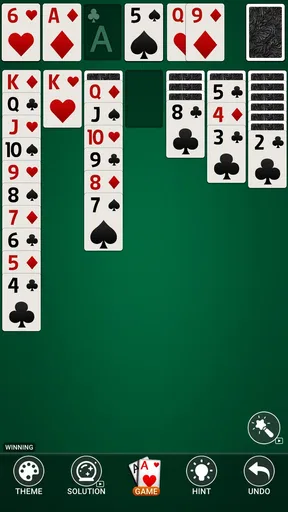
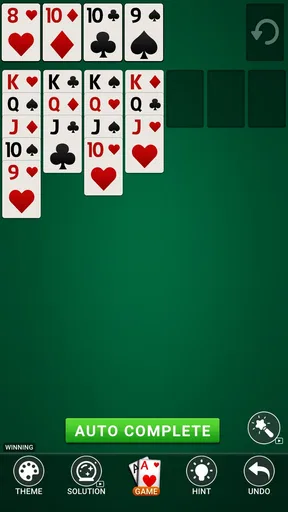
Now, onto the main event: the gameplay. If you've played Solitaire before, you'll feel right at home. The app offers a variety of game modes, including Klondike, Spider, and FreeCell. Each mode is carefully crafted to provide a seamless experience. I jumped into Klondike first, and it was as satisfying as I remembered. The controls were responsive, and the touch mechanics worked flawlessly. Plus, the app features a handy undo option for those moments when you realize you’ve made a regrettable move.
For a more thoughtful session, I find it useful to pause before moving a card just because it is available. In Klondike, a move can expose a hidden card, free a space, or simply shift the visible layout; those choices do not always have the same value. I would prioritize moves that reveal information or open up useful options, then use undo as a way to reconsider a decision rather than as a substitute for paying attention. That approach makes a familiar deal feel more like a small logic exercise.
There is also a trade-off between speed and deliberation. Quick taps are convenient when the move is obvious, but a slower scan can help avoid shuffling cards between columns without making real progress. If you like measuring improvement through careful decisions, this kind of self-imposed discipline gives a basic solitaire round more texture. If you would rather have the game make every session feel radically different, a puzzle game with varied objectives may be a better match.
Personal touches and practical trade-offs
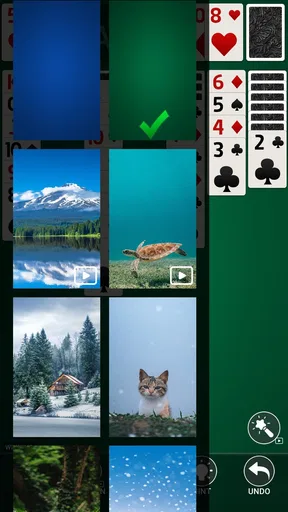
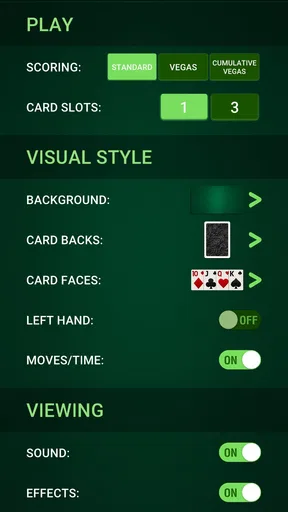
What really impressed me was the level of customization available. You can choose from a range of card designs and backgrounds, allowing you to personalize the game to suit your mood. Feeling a bit adventurous? Try out the dynamic themes that change as you play. It's small touches like these that make the game feel alive and engaging.
For me, changing a card design is more than decoration if it makes the ranks and suits easier to distinguish at a glance. A comfortable visual setup can matter during a longer session, when repeated scanning becomes tiring. I would choose legibility first and a theme I enjoy second, rather than picking a busy background that competes with the cards. That is a modest but useful way to make the play area feel more comfortable without changing the rules.
Customization can also become a distraction if the main reason you opened the game was to settle into a quick round. I would set up the look once, then leave it alone unless I genuinely wanted a change. That keeps the focus on the card puzzle rather than turning every visit into a search through cosmetic options. Players who want visual variety will appreciate the choice; those who prefer a bare-bones deck may not care about it at all.
Features That Stand Out
Aside from the classic gameplay, the app includes some unique features that enhance the overall experience. One of my favorites is the daily challenges. These challenges add a layer of excitement, giving you a reason to come back to the game every day. Completing them rewards you with points, which can be used to unlock new themes and card designs.
Daily goals can be a pleasant nudge, but I would treat them as optional rather than a schedule to maintain. If I have a spare minute, a challenge gives me a specific reason to play; if I am busy, skipping a day should not turn a relaxing card game into a chore. The value of a daily feature depends on whether it adds direction to a session or makes leisure feel like another task waiting to be checked off.
The rewards also create a small choice about how to spend attention: play for the puzzle itself, or keep returning to collect points and open visual extras. I prefer the first approach and let unlocks be a bonus. Someone who enjoys a gradual collection may find the progression motivating, while a player who wants only an uncluttered Klondike deal can ignore that incentive and still focus on the cards.
Another cool feature is the smart hints system. If you ever find yourself stuck, you can tap for a hint, and the app will gently nudge you in the right direction. It's perfect for those times when your brain hits a roadblock. The hints aren't overbearing, so you still feel like you're solving the puzzle on your own.
A useful way to learn from a hint is to ask why that move helps before making it. Does it expose a card, improve access to a column, or simply move something that was already visible? Thinking through the reason turns assistance into a learning tool and can help you spot similar opportunities in later deals. If you want a game that never offers help because you prefer solving everything unaided, you can simply avoid tapping the hint control.
How it compares with other card-game choices
Compared with a minimalist solitaire app, this one has more reasons to personalize play and return for a daily challenge. A stripped-back alternative may be preferable if you want the fewest distractions and care only about dealing cards. Compared with a broader solitaire collection, the appeal here is the familiar Klondike center of gravity; a collection makes more sense if switching among several rule sets is important to you.
It is also different from competitive card games, where opponents, live decisions, or multiplayer pressure define the experience. Solitaire keeps the focus on your own choices and pace. That can be a relief when I want a quiet break, but it is not the right substitute if I am looking for conversation or a contest against another person. I would choose based on the mood I want, not assume that every card game fills the same need.
Social and Competitive Elements
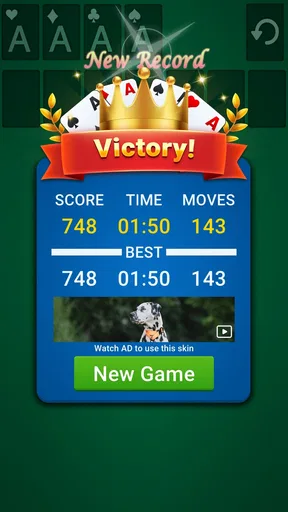
If you’re the competitive type, you’ll appreciate the leaderboard feature. It tracks your scores and compares them with players worldwide. Climbing up the ranks adds an extra layer of motivation to improve your skills. You can also connect with friends and challenge them to beat your high scores, adding a social aspect to this traditionally solo game.
That competitive layer is best treated as an optional reason to replay, not the core promise of a quiet solitaire session. Some players enjoy seeing whether a more careful approach improves their results; others may find that comparison takes away from the relaxed pace they wanted. I would try it when I feel motivated, then return to solo play whenever I would rather concentrate without thinking about rank or a friend’s score.
Before making the leaderboard the point of every round, decide what counts as a satisfying session for you. Completing a deal, learning from a mistake, or simply taking a calm break can all be enough. A score comparison rewards a different kind of attention, so it works best when I actively want that small competitive push rather than treating it as the only measure of whether a game was worthwhile.
Who should choose it, and when I would pass
I would recommend this game to someone who wants an accessible solo card puzzle, likes the familiar rhythm of Klondike, and values being able to make a session their own. It also suits players who enjoy gentle goals or who like using hints to get unstuck without giving up on the puzzle. The Everyone age rating broadens its audience, though younger players may still need an adult to decide whether a phone game fits their routine.
I would steer a few people elsewhere. If your priority is learning many different solitaire rules, look for a collection that puts breadth first. If you need online opponents to keep a game engaging, choose a competitive card title instead. And if a daily prompt or a score comparison makes relaxation feel like a demand, a simpler alternative with fewer motivational layers may be more comfortable.
One practical question is whether the game is a sensible first solitaire app. I think it can be, especially for someone who already recognizes the basic card layout or is willing to learn by playing. The familiar format makes it easier to understand what each move is doing, while hints offer a way through a stall. A total newcomer who wants lessons and detailed explanations should look for those explicitly in an app before choosing; I would not assume that a familiar game automatically teaches every rule in depth.
Final Thoughts: A Card Game Done Right
Wrapping it all up, the game is a delightful rendition of a classic. Whether you’re a seasoned Solitaire pro or a casual player looking for a way to pass the time, this app offers something for everyone. The combination of classic gameplay with modern enhancements makes it a worthwhile option on your device.
So, why not give it a try? You might just find yourself pleasantly hooked, just like I did. Ready to shuffle and deal your way to fun? Download Solitaire - 2026 and get your game on!
My recommendation
My recommendation is simple: choose this game if you want familiar card play with enough optional extras to give a short session a bit of direction. I would start with a few ordinary Klondike rounds, settle on a clear card design, and use hints only when I am genuinely stuck. That makes it easier to judge whether the central puzzle itself is enjoyable before daily challenges or competition become part of the routine.
At no cost to download and with a broad age rating, it is an easy option to try for someone who already likes solitaire. I would not call it the best fit for every card-game fan: people seeking a large variety of rules, a deep teaching path, or opponent-driven play have better reasons to look at alternatives. But for a familiar, flexible solo break, I think it earns a place on the shortlist.
Pros
- User-friendly interface with smooth navigation.
- Multiple game modes to keep you engaged.
- Customizable themes and card designs.
- Offline play available without interruptions.
- Daily challenges to test your skills.
Cons
- Ads can be frequent and disruptive.
- Limited hints available without purchase.
- No multiplayer mode for social play.
- Some themes locked behind paywall.
- Occasional crashes on older devices.
FAQs for Solitaire - 2026
What are the key features of Solitaire - 2026?
Solitaire - 2026 offers a classic card game experience with modern twists. It includes multiple game modes like Klondike, Spider, and FreeCell, customizable card decks, and daily challenges. The app also provides detailed statistics to track your progress, as well as hints and undo options for a smoother gameplay experience.
Is Solitaire - 2026 free to download and play?
Yes, Solitaire - 2026 is free to download and play. However, it may contain in-app purchases and ads. These purchases typically include ad removal and access to exclusive themes or features, enhancing the overall gaming experience. Be sure to check if these options suit your preferences before downloading.
Does Solitaire - 2026 require an internet connection?
Solitaire - 2026 can be played offline, making it a great option for on-the-go entertainment without needing an internet connection. However, certain features like daily challenges or updates might require internet access to function properly, so connecting occasionally is recommended to enjoy the full experience.
Is Solitaire - 2026 suitable for all age groups?
Yes, Solitaire - 2026 is designed to be suitable for all age groups. The game mechanics are simple enough for children to learn, while still offering enough complexity to engage adults. Parents should supervise in-app purchases if their children are playing, to prevent unintended transactions.
What devices are compatible with Solitaire - 2026?
Solitaire - 2026 is compatible with both Android and iOS devices. Ensure your device meets the minimum operating system requirements, usually specified in the app store listing, to ensure smooth performance. Compatibility with a wide range of devices makes it accessible to most smartphone and tablet users.


